Pickle
Pickle is a simple remote dev station that turns a Linux machine into a private development environment I can access from pretty much any device.
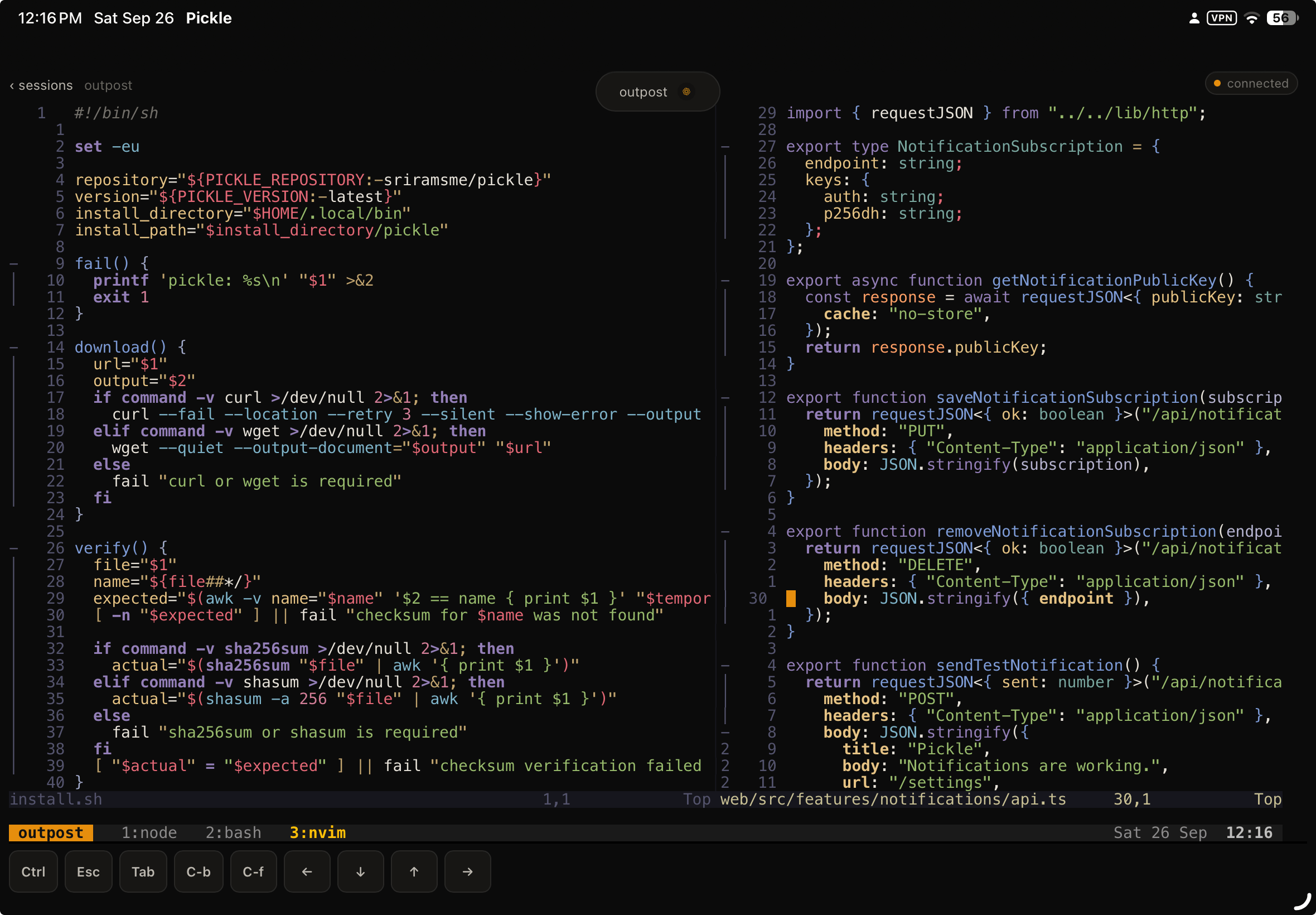
I wrote a while ago about how I code now: most of my development happens inside tmux. I’ll usually have Neovim in one window, an application or Docker services running somewhere else, and Codex or another coding agent working in another pane. tmux keeps the entire workspace alive even when I’m not actively looking at it.
Given how much more you can do with agents running in backgroud, the obvious next question was: how can I do this from anywhere without ahving to sit infront a laptop? like accesbile from anywhere and on any device I had?
the idea
I didn’t want another cloud development environment or a second version of my setup running somewhere else.
I wanted to remotely use the environment I already had.
My repositories, dotfiles, Neovim configuration, running processes, containers, agents and tmux sessions should stay on the machine. Pickle just gives me a good interface into them.
So I can leave something running, close my laptop, open Pickle from my iPad or phone later, and reconnect to the same session. Sure there are some apps taht do this partly, but they are either behind a paywall or lack features I need.
what it does
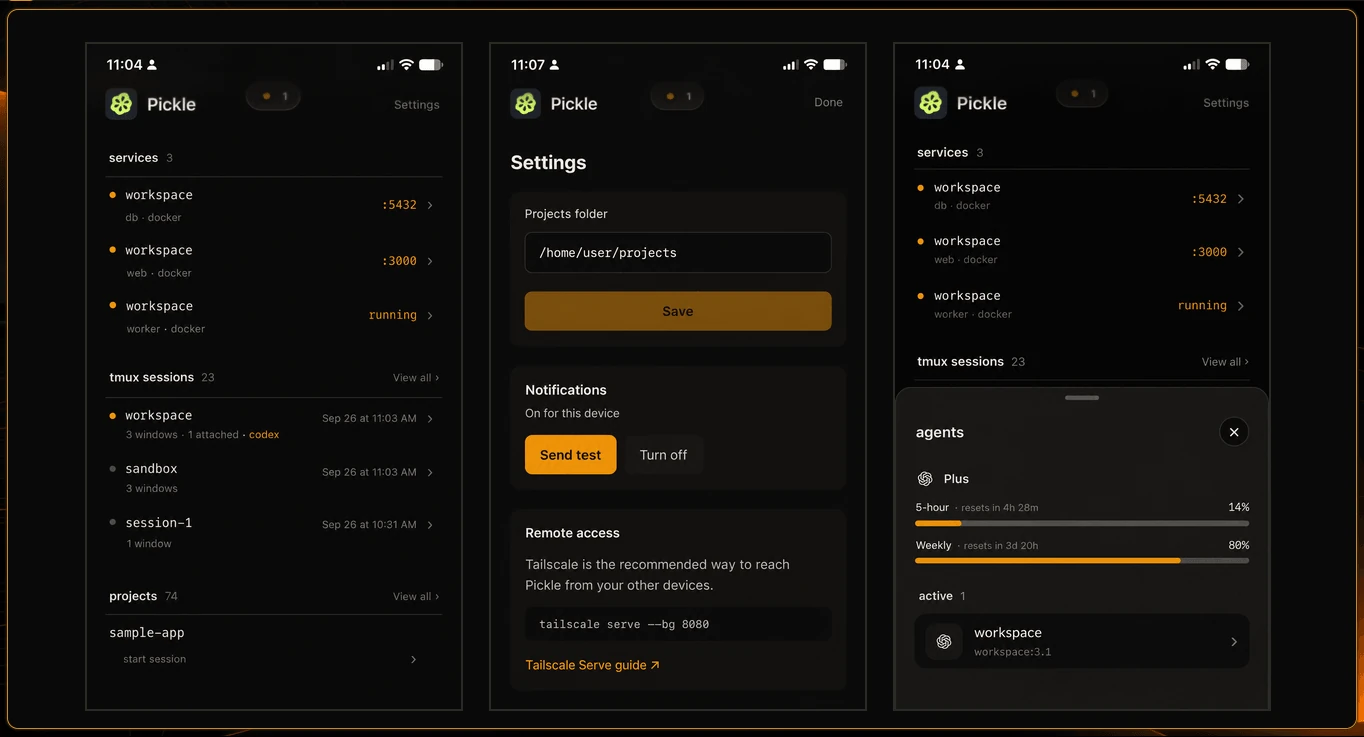
Pickle runs alongside the dev environment and exposes a web interface for it.
It can:
- open real tmux terminals in the browser;
- reconnect to persistent sessions;
- discover local projects and tmux sessions;
- show coding agents running inside tmux panes;
- discover development servers and Docker Compose services;
- expose those services privately through Tailscale;
- send notifications when an agent finishes something or needs attention;
- install as a PWA on a phone or tablet.
The important part is that Pickle isn’t trying to recreate the development environment in the browser. The browser is just another way into the machine.
architecture
The backend is written in Go and handles things like process discovery, PTYs, tmux integration, notifications, WebSocket terminal connections and the local system interface.
The UI is built with React and TypeScript, with xterm.js providing the browser terminal.
For remote access, I use Tailscale rather than exposing Pickle to the public internet. That matters because this thing effectively provides shell access to the host machine and should be treated accordingly.
The result is intentionally pretty small: install Pickle on a Linux machine, point it at the directory containing your projects, and open it from another device on your tailnet.
coding agents made this more useful
One unexpected part of my current workflow is that I don’t necessarily need to continuously watch a coding agent work.
I can give Codex or another agent a task inside tmux, move away from the computer, and let the process continue there. Pickle can tell me which agents are still running and can surface a notification when one finishes or needs input.
I can then jump directly back into the relevant session.
That makes the computer feel less like something I have to actively operate and a little more like a development station I can check into when needed.
It also fits into the broader change in how I’ve been coding recently. I wrote more about that in how I code now.
why I built it
I cann 100x my productivity..
There are much more elaborate remote development platforms, but I didn’t want to move my workflow into somebody else’s environment.
I already liked my setup. I just wanted to be able to take it with me.